
Sign and approve your documents from your own device
An Arabic-first PDF editor that runs entirely on your device, so your documents never leave your control: sign by hand, place stamps, arrange and merge pages. In the Business edition, apply PKI digital stamps, encrypt your files, and sign dozens of documents in one batch.
14 days with every feature, no payment card. Afterwards, viewing, search and printing stay free.
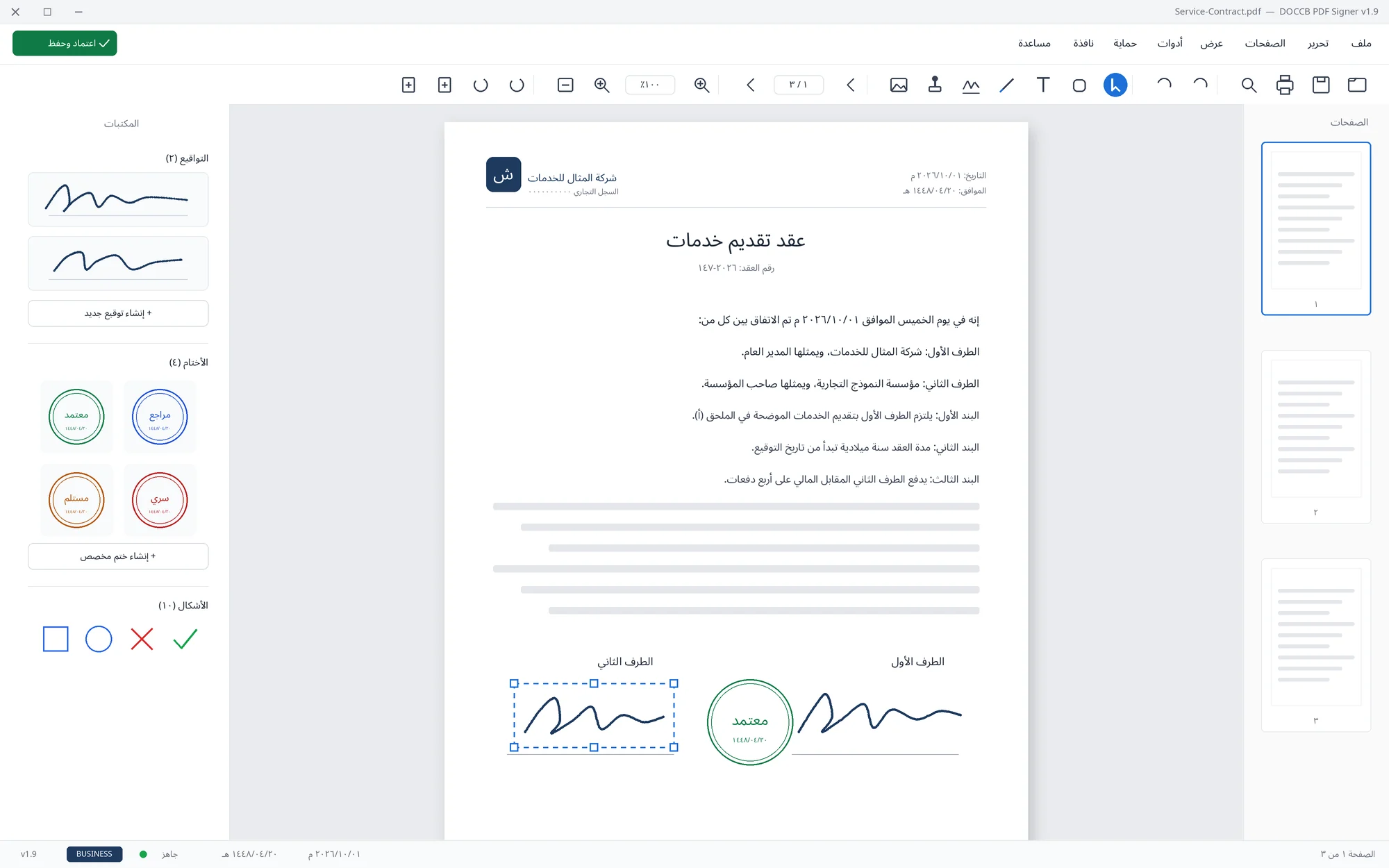
Everything you need to approve a document
Handwritten signatures & stamps
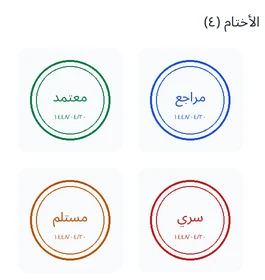
Draw your signature once and save it, place ready-made stamps, or design your own stamp with Gregorian and Hijri dates.
Content editing
Add text, images and shapes to any page, with unlimited undo and redo.
Pages & merging
Insert, delete or rotate pages, and merge several PDF files into one.
PKI digital stamp
Digitally stamp the document with a trusted certificate that attests the signer's identity — securely and reliably.
Encryption & permissions
Protect documents with a password, and control print, copy and edit permissions.
Batch processing & watermarks
Sign or stamp dozens of files in one batch using ready templates, and add watermarks to your documents.
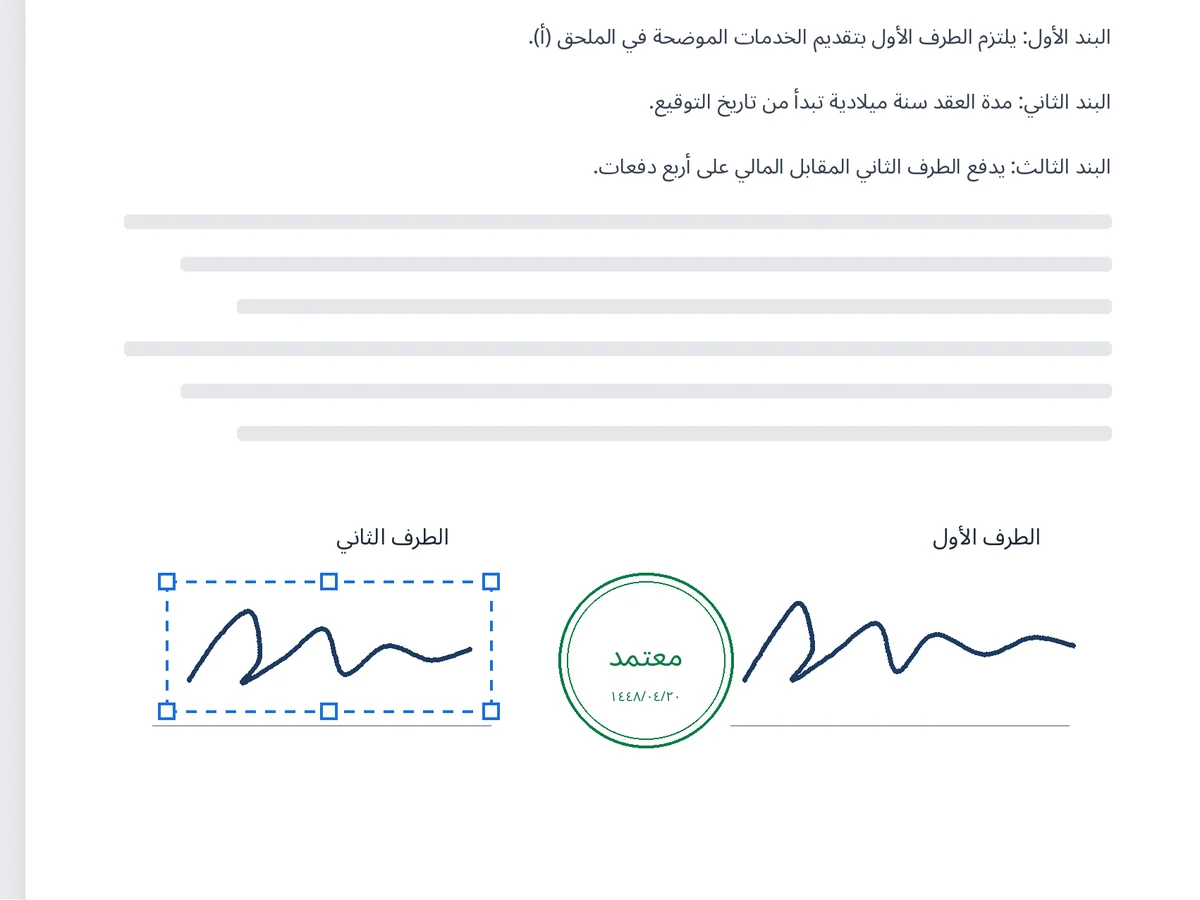
Just like paper, without the printing
Open the document, drag your saved signature or stamp into place, and save. No scanning and no back-and-forth emails.
- A saved library of signatures and stamps you reuse on every document
- Stamps with Gregorian dates and Hijri alongside
- Search inside scanned pages, in Arabic
- Works offline after activation
Compare the editions in detail
Everything you need to know before deciding: what stays free, what Basic adds, and what Business alone offers.
Swipe the table horizontally to see all editions →
| Feature / specification | Freeafter the trial | Basic | Business |
|---|---|---|---|
| 1 · Viewing, browsing & printing | |||
| Open and browse PDF files, zoom and navigate pages | |||
| Text search inside the documentincluding scanned pages | |||
| Printing | |||
| Arabic and right-to-left support | |||
| Recent files list and PDF file association | |||
| 2 · Content editing | |||
| Add text, images and shapes to the document | — | ||
| Undo and redo | — | ||
| 3 · Page management | |||
| Insert and delete pages | — | ||
| Rotate pages | — | ||
| Merge several PDF files into one | — | ||
| 4 · Conversion | |||
| Convert Word files and images to PDF | — | ||
| Export pages as images | — | ||
| 5 · Visible signatures & stamps | |||
| Handwritten signing | — | ||
| Ready-made stamps | — | ||
| Stamp editor with Gregorian and Hijri dates | — | ||
| 6 · Forms & links | |||
| Form fields (AcroForm) and filling | — | ||
| Extract links from the document | — | ||
| 7 · Cryptographic verification with a PKI certificate Business only | |||
| PKI digital stampingproduces a separate verification file (.p7s) that accompanies the document | — | — | |
| Test-certificate generationto try digital stamping before obtaining a trusted certificate | — | — | |
| 8 · Confidentiality & protection Business only | |||
| PDF encryption, passwords, and print/copy/edit permissions | — | — | |
| 9 · Automation & batch processing Business only | |||
| Batch document processing | — | — | |
| Batch template editor | — | — | |
| Template and asset library | — | — | |
| 10 · Watermarks Business only | |||
| Text and image watermarks | — | — | |
| 11 · Secure sharing Business only | |||
| Share documents via WhatsApp, email and Telegram | — | — | |
The Free edition is what remains after the trial ends without a license: viewing, search and printing. During the 14-day trial, every Business feature works.
Subscribe now
Prices are in Saudi riyals and include VAT. Each license covers one device and can be moved to another.
Basic
For individuals and offices: signing, stamps and page editing.
per year · updates and support included
Buy Basic- Handwritten signing and stamps
- Content and page editing, and merging
- PDF conversion and forms
Business
For organizations: trusted digital stamping, protection and batch processing.
per year · updates and support included
Buy Business- Everything in Basic
- PKI digital stamping
- Encryption, permissions and watermarks
- Batch processing and secure sharing
Enterprise
More than 5 licenses, or special installation and training needs.
by device count and edition
Request a quote- Wide deployment and volume licensing
- A tax invoice for your organization
- License management from one account
- Priority support and maintenance
Try every feature for 14 days
Download the edition you intend to buy: a Basic key works on the Basic edition, and a Business key on the Business edition.
DOCCB PDF SignerBusiness edition
If you need digital stamping, encryption or batch processing.
Download BusinessFrom trial to license in four steps
Download & install
Pick your edition and run the installer.
Try for 14 days
Every feature available, no sign-up or card.
Buy from the site
Pay online and your key arrives in your account.
Enter the key
From "Help" then "Activate" — features switch on instantly.
Before you start
What happens when the trial ends?
Which edition should I download for the trial?
What is the difference between a perpetual license and a subscription?
Are my documents uploaded to any server?
Does the app work without internet?
Can I move my license to another device?
What is the difference between a handwritten signature and a digital stamp?
Start your trial today
14 days with every feature — then pick the edition and license that fit.